Trips
How to download and use the Sygic Travel app?
The Sygic Travel app is free and you can download it directly to your phone or tablet. Understand how to download and access your tools to start making your travel itinerary!
Advertisement
Sygic Travel app: find out how to download and access it!
If you are planning the details of your next trip, but have difficulty organizing your itinerary, how about using the Sygic Travel app to help you? The app is available worldwide!
In fact, you can download the maps to use offline even in the most remote places on the globe. So, what are you waiting for to travel in a safe and organized way? See how to download and use the Sygic Travel app!
Sygic Travel: create your own travel itinerary with detailed maps!
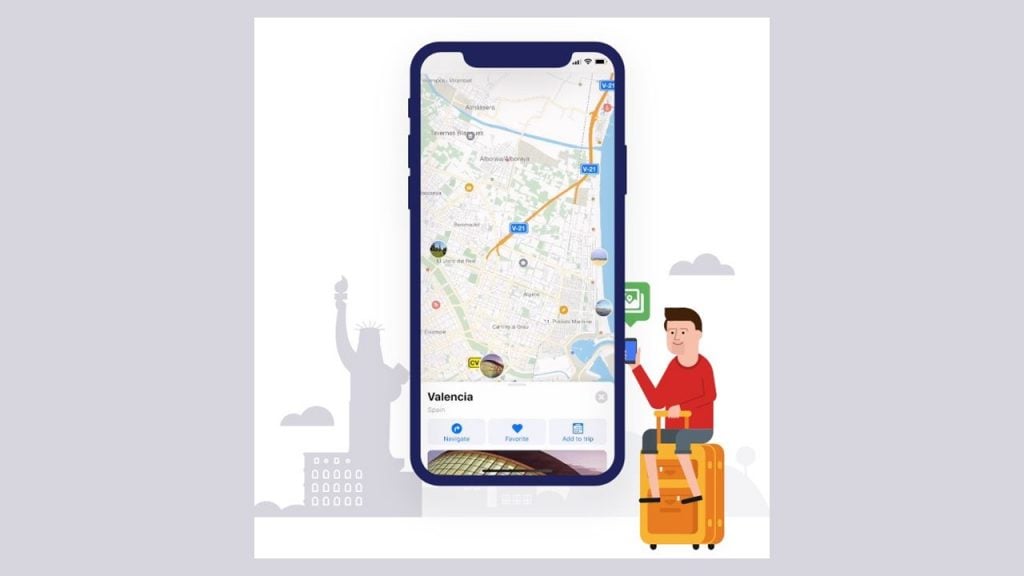
Through Sygic Travel you can create your entire daily itinerary for your trips. In this sense, it can include your hotels, airports, tourist attractions, transfers and much more! The tools are complete.
Furthermore, the app also shows you what level of demand your itinerary will have, so you can add or change day-to-day activities. In fact, if you are traveling in a group, you can also share the itineraries!
This way everyone can contribute to places and activities they also want to do. To use the Sygic Travel app, you can download the platform for free through your smartphone's digital store.
So, are you prepared to create complete and organized itineraries for your trips? See below how to download and use the Sygic Travel app and enjoy all the ease and security on your next trip!
Download the Sygic Travel app
Firstly, it is worth remembering that the Sygic Travel platform is available free of charge. However, if you prefer, you can also purchase the Premium version of the application.
Well, to download it, just access your smartphone's digital store, find Sygic Travel and tap to download. In fact, the app is available for Android and iOS users globally.
Use the Sygic Travel app
Once the download is complete, you can tap to open and start using the app. To do this, select your destination location and tap to add attractions you want to visit, hotels and even airports.
In fact, the interface also offers filters so you can find exactly the option you want. If you want to create an itinerary, the app will bring all the places together in a list so that everything is organized for you to follow. Incredible, isn't it?
Have you ever thought about having an alert on your cell phone that notifies you when air tickets to a certain destination are on sale? Well then you need to know the Melhores Destinos app!
With it, you can find flights at the best prices! This way, you can discover your dream destination and still save money. So, access our content below and see more details of the app to download! Check out!
Best Destinations App: what is it and how does it work?
The Melhores Destinos platform is a reference in airline ticket promotions and the largest website in the segment in Brazil. Discover!
About the author / Samantha Scorbaioli
Trending Topics

Ebook How to Plan a Trip Solo: see how easy it can be!
If you have no experience with travel and want to be autonomous and independent, check out the ebook How to Plan a Trip Alone by Lu Leal.
Continue lendo
How to buy easily at NTour Viagens?
Check out how to buy through NTour Viagem and enjoy the exclusive itineraries that the agency offers for the female audience!
Continue lendo
What was the first airport in Brazil?
With more than 80 years of history, Santos Dumont was the first airport in Brazil! Get to know more about him see some curiosities!
Continue lendoYou may also like

Max Miles: find out how it works and if it is reliable to travel!
If you have doubts about whether Max Miles is reliable, find out how this platform that offers tickets with exclusive discounts works!
Continue lendo
Looking for travel packages to Sao Paulo? See great options and tips!
If you want to get to know the economic and cultural hub of Brazil, check out tips for buying a package to São Paulo and enjoy sightseeing!
Continue lendo
How to download and use the AroundMe app?
Using the AroundMe app is super simple and easy, plus it's free! Download and find nearby services. See the step by step!
Continue lendo


